Free CapCut Alternatives for PC and Mobile (2026)
If you want the short version: on desktop, DaVinci Resolve is the most capable free editor available at any price, and Clipchamp is the easiest if you just want to finish a video quickly on Windows. On phones, VN Video Editor is the closest thing to CapCut’s workflow without a subscription, and Meta’s Edits app is the strongest option if you are making Reels and Shorts.
The rest of this covers what each one actually gives you for free, where the limits sit, and the three things worth checking before you move a real project across.
Why people are switching
Two things changed.
The price. CapCut restructured its plans between late 2025 and early 2026, splitting the old single Pro tier into Standard and a more expensive Pro. Reporting on the change described the full cross-platform experience moving to roughly $19.99 per month or $179.99 per year, with existing annual subscribers facing a renewal jump around February 2026. Sonary
Whether the free tier itself got worse is genuinely disputed. Some 2026 write-ups say 1080p export moved behind the paywall; others say free users still export at 1080p and only 4K is gated. Prices and caps also differ by region and app store. Rather than pick a number, check CapCut’s own plan comparison inside the app while signed in, since that checkout is the one that applies to your account.
The terms of service. This is the part that matters more if you edit for clients. CapCut’s terms state that by submitting user content you grant the company and its partners a non-exclusive, royalty-free, fully transferable, sub-licensable, perpetual and worldwide licence to use that content. A wave of legal commentary through 2025 and 2026 argued this is unusually broad and applies to private drafts, not just published videos. CapCut
CapCut has pushed back on that reading. The company published a response saying the concern that it can broadly use or monetise your content or likeness without permission is not the case, and that the terms cover only the basic rights needed to run the service, such as storing, formatting and displaying content and letting other users adapt shared templates. CapCut
Both of those are worth reading yourself before you decide. Similar licence language exists in the terms of TikTok, Instagram, YouTube, Canva and Adobe, so this is not unique to CapCut. It is, however, a reasonable prompt to move confidential or client work to software that processes files locally on your own machine.
Desktop alternatives
DaVinci Resolve
The free version of Blackmagic Design’s DaVinci Resolve is not a trial, not watermarked, and does not expire. You get the full timeline editor, the colour grading tools used on actual film productions, the Fairlight audio suite, and the Fusion compositor.
The limits are real but specific. Export is capped at 4K UHD, though you can still import, edit and grade larger resolutions, and only the paid Studio version can use multiple GPUs. Studio also adds AI-assisted tools and GPU-accelerated noise reduction, and it is a one-time purchase rather than a subscription. Storyblocks
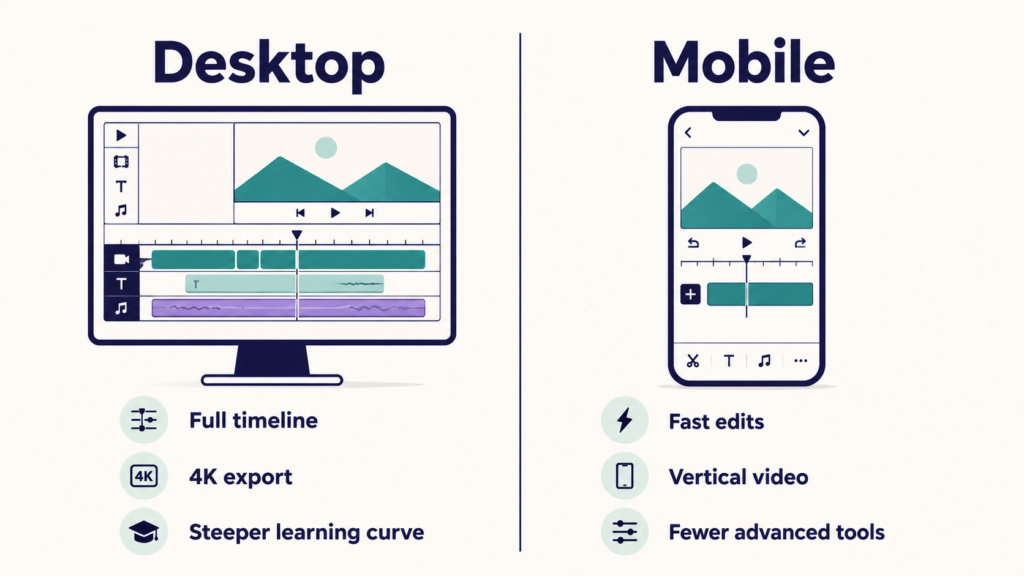
The honest caveat: Resolve is heavy software with a real learning curve, and it wants a reasonably capable computer. If your machine struggles with CapCut, it will struggle more here.
Clipchamp
Clipchamp is Microsoft’s browser-based editor, pre-installed on Windows 11 and usable in Chrome or Edge on other systems. Microsoft’s own pricing page states the free plan allows unlimited exports up to 1080p with no watermarks, and includes the basic editing tools plus AI subtitles, voiceovers and silence removal. Clipchamp
Two things to know. Premium stock assets are the trap: dragging a paid clip or effect into a project blocks the export until you upgrade or remove it, so filter for free assets from the start. And Clipchamp needs an internet connection for core functions, so it is not an offline tool.
Kdenlive
Kdenlive is open source, free on Windows, Mac and Linux, and sits closer to a traditional professional editor than to CapCut. Multi-track timeline, proxy workflows for weak hardware, keyframing, scopes, and effects. It is the strongest open-source option for longer projects, and it is the natural pick if you are on Linux, where CapCut has no desktop app.
Shotcut and OpenShot
Both are free, open source, and cross-platform. Shotcut is built on FFmpeg, which means it opens almost any file format you throw at it, and it handles demanding projects reliably. OpenShot is the gentlest of the three to learn but is the weakest on rendering speed for longer timelines.
Pick Shotcut if you deal with odd file formats. Pick OpenShot if you want the simplest possible desktop timeline and your videos are short.
Mobile alternatives
VN Video Editor
VN is the closest replacement for the CapCut feel. It is free, exports without a watermark, and has a genuine multi-track timeline with keyframes, speed curves, auto captions and text-to-speech, which is unusual in a free phone editor. It runs on iOS, Android and Mac, and there is a Windows version too.
What you give up is CapCut’s trending template library. VN expects you to cut and build your own edit rather than drop clips into someone else’s template. If template-driven content is your entire workflow, that gap will be the thing you notice.
Download it from the App Store or Google Play rather than a third-party APK site, since video editors are a heavily impersonated app category.
Edits (Meta)
Meta’s Edits is a standalone editing app built around Instagram, launched in April 2025. Its official store listing describes free 4K export with no watermark, frame-precision editing, and in-app capture of clips up to 10 minutes. It also pulls Reels performance data back into the app. Google Play
It is currently free, though Meta has signalled that some AI features may move to a paid tier later. Worth knowing if you are building a workflow around it.
InShot
InShot gets recommended constantly as a free CapCut alternative, and that description needs a caveat: the free version puts a watermark on exports and shows ads. Multiple review sources note this consistently. Its paid tier is genuinely cheap compared with CapCut Pro, including a one-time lifetime option in some regions, but “free InShot” and “watermark-free” are not the same thing.
iMovie
If you are on iPhone, iPad or Mac, iMovie is already installed, completely free, and exports clean. It is limited compared with everything above, but for straightforward cuts, titles and music it does the job with zero setup.
Side by side
| Tool | Platforms | Watermark on free export | Free export ceiling | Best suited for |
|---|---|---|---|---|
| DaVinci Resolve | Windows, Mac, Linux | No | 4K UHD | Serious editing, colour grading, long-term skills |
| Clipchamp | Windows, browser, iOS | No | 1080p | Fast, simple projects on Windows |
| Kdenlive | Windows, Mac, Linux | No | No fixed cap | Open source multi-track work, Linux users |
| Shotcut | Windows, Mac, Linux | No | No fixed cap | Awkward file formats, mixed media |
| OpenShot | Windows, Mac, Linux | No | No fixed cap | Beginners, short desktop edits |
| VN Video Editor | iOS, Android, Mac, Windows | No | Up to 4K on supported platforms | The closest CapCut-style mobile workflow |
| Edits | iOS, Android | No | 4K | Reels and Shorts creators |
| InShot | iOS, Android | Yes on free tier | Varies | Quick edits if you do not mind the watermark, or pay once |
| iMovie | iOS, iPadOS, Mac | No | Up to 4K | Apple users wanting the simplest option |
Export limits and free tier features change without notice across all of these, so confirm on each tool’s own site before you commit to a deadline.
Three things to check before you switch
Your projects will not transfer. There is no working way to open a CapCut project file in DaVinci Resolve or VN. Before you cancel anything, export finished versions of any project you still care about, at the highest quality you can, and keep the original source clips separately. Starting a new project in a new editor is fine. Migrating a half-finished one is not.
Music and stock assets do not travel with you. This is the most common licensing mistake creators make. CapCut’s built-in sound library is licensed for use inside CapCut, not as a general music library you can carry into another editor. If you switch, source audio from somewhere that grants you clear rights, and check the specific licence terms rather than assuming a track is free to use commercially.
“No watermark” and “free” are separate questions. Several tools marketed as free CapCut alternatives either stamp exports, block export when a premium asset is in the timeline, or add a branded outro clip. Test the export path with a ten-second clip before you build anything real.
Which one should you actually pick
If you edit on a computer and expect to keep editing for years, learn DaVinci Resolve. The learning curve is the price, and the skills transfer to paid software later.
If you edit on a computer but just want the video finished today, Clipchamp on Windows or OpenShot on any platform will get you there faster.
If you edit on a phone and CapCut’s interface is what you are used to, VN Video Editor is the least disruptive move.
If most of what you post goes to Instagram, Edits is worth trying first, since publishing and performance data live in the same app.
And if you are on Linux, Kdenlive is effectively the answer, because most of the mainstream consumer editors simply do not ship a Linux build.
FAQ
Is CapCut still free in 2026?
Yes, there is still a free tier and you can complete ordinary edits without paying. What sits inside that free tier has shifted, and sources disagree about specifics such as the export ceiling. Check the plan comparison in your own signed-in account, since offers vary by region and store.
Which free CapCut alternative has no watermark?
DaVinci Resolve, Clipchamp, Kdenlive, Shotcut, OpenShot, VN Video Editor, Edits and iMovie all export without a watermark on their free versions. InShot is the notable exception, since its free tier does watermark exports.
Can I use free video editors for commercial or client work?
Generally yes for footage you own, but the licensing question is usually about the assets rather than the software. Stock music, stock clips and premium templates each carry their own terms, and those terms often differ between a tool’s free and paid tiers. Read the specific licence for anything you did not shoot or create yourself. If contracts or client IP obligations are involved, the terms of your own agreements may add further restrictions, so professional advice is worth getting for anything high value.
Does CapCut own the videos I make in it?
No, you keep copyright in your own work. The dispute is over how broad the licence you grant is. CapCut’s terms include a perpetual, worldwide, sub-licensable licence to use submitted content, and CapCut has publicly argued this only covers what is needed to operate the service. Read both the terms and CapCut’s own explanation and decide what you are comfortable with, particularly for client footage.
What is the best free CapCut alternative for a low-end PC?
OpenShot or Shotcut. Both are far lighter than DaVinci Resolve, which expects a decent GPU and a reasonable amount of RAM. Kdenlive sits in between and supports proxy editing, which helps a lot on weaker machines.
Is there a single tool that replaces CapCut on both phone and PC?
VN Video Editor comes closest, since it ships iOS, Android, Mac and Windows versions with a broadly consistent interface. No free tool currently matches CapCut equally well across every platform.